Free QR Code Generator Online — No Signup, No Expiry [2026]
Most 'free' QR code generators online are not actually free — they create dynamic QR codes hosted on their servers, lock the SVG behind a paywall, or delete your code when your trial ends. Here is a clear explanation of how QR codes work, why static QR codes never expire, and how to generate one for free in your browser with no account required.
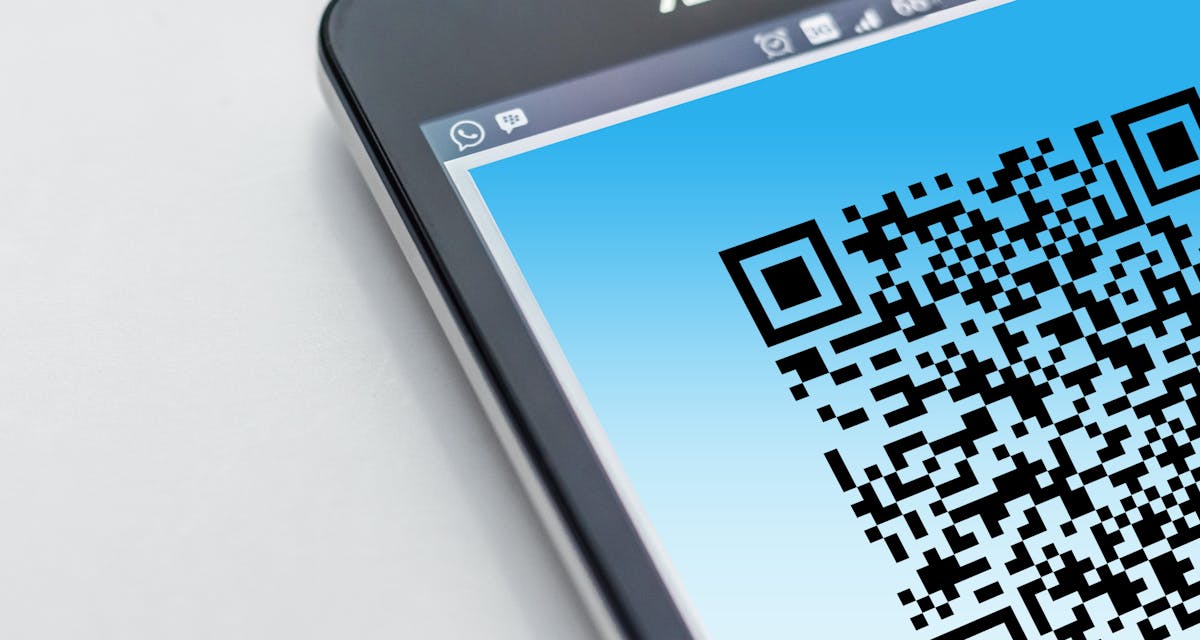
Table of Contents
What is a QR code and how does it encode data
QR stands for Quick Response. The format was developed in 1994 by Denso Wave — a subsidiary of Toyota — to track automotive parts during manufacturing. The key innovation over traditional barcodes was the ability to encode far more data in a two-dimensional grid rather than a one-dimensional line of bars.
A QR code is a square grid of small black-and-white squares called modules. The data is encoded in the arrangement of these modules using a standardized algorithm (ISO/IEC 18004). Every modern smartphone camera and virtually every QR scanner app can decode a QR code without any additional software — the decoding logic is built into the camera firmware.
The three large squares in the corners are finder patterns — they allow scanners to detect the QR code and determine its orientation regardless of the scanning angle. The small square in the bottom-right (for larger codes) is an alignment pattern. The rest of the grid encodes your data, along with error correction information that allows the code to be scanned even when partially covered or damaged.
Error correction is one reason QR codes can have a logo placed in their center. The standard supports four error correction levels: L (7% of codewords can be restored), M (15%), Q (25%), and H (30%). A higher error correction level means a larger, denser code — but also more tolerance for partial damage. Most QR code generators default to M or Q, which is the right balance for print use.
Static vs dynamic QR codes: the key difference
The most important distinction to understand before generating a QR code is whether it is static or dynamic. These two types work completely differently, and the choice has long-term consequences for reliability and privacy.
A static QR code encodes your data directly into the module pattern. When someone scans it, their device reads the data from the pattern itself — no server is contacted. The data is permanent. You cannot change it after the code is printed, but it will work as long as the destination (a website URL, for example) exists. There is nothing to host, no subscription to maintain, and no expiry date.
A dynamic QR code encodes a short redirect URL pointing to the QR code service's own server. When someone scans the code, they first hit the service's redirect server, which then forwards them to your actual destination. This architecture allows you to change the destination after the code is printed — and provides scan analytics (how many scans, from which countries, at what times). The trade-off: the QR code depends entirely on the service's infrastructure. If the service shuts down, changes its free plan terms, or lets your subscription lapse, the QR code stops working.
Why most "free" QR code generators expire your codes
The free QR code generator market has a well-documented dark pattern: advertise as "free," generate dynamic codes by default, then charge for the redirect infrastructure or delete free codes after a trial period. Here is how it plays out in practice:
- Redirect dependency. The generated QR code encodes a URL like
qrservice.com/r/abc123rather than your actual URL. The service controls whether that redirect works. - Expiry on free plans. Many services delete free dynamic QR codes after 30 to 90 days, or after reaching a scan limit. QR codes printed on menus, brochures, or product packaging become broken links.
- SVG locked behind paywall. The free PNG download is low-resolution. High-resolution or SVG output requires a paid plan. For print use cases, this forces an upgrade.
- Data collection. Dynamic QR codes collect scan data — every scan tells the service when, where, and from what device the code was scanned. For a menu QR code at a restaurant or a personal business card, this is an unnecessary data handoff to a third party.
If you do not need scan analytics or the ability to edit the destination after printing, a static QR code is the right choice. It is simpler, more reliable, completely private, and permanently free. The SammaPix QR code generator creates static codes only — your data is encoded in the pattern, not hosted on any server.
Data types: URL, text, Wi-Fi, vCard, email
A QR code can encode any text data. The reason different "types" exist is that smartphones and QR scanner apps recognize specific text formats and act on them automatically. Here is what each type does:
| Type | What gets encoded | What happens when scanned | Best use cases |
|---|---|---|---|
| URL | https://yourwebsite.com | Browser opens the URL directly. | Business cards, flyers, product pages, app download links, social media profiles. |
| Plain text | Any text string. | Scanner displays the text. No automatic action. | Event codes, coupon codes, instructions, short messages. |
| Wi-Fi | WIFI:T:WPA;S:YourSSID;P:password;; | Phone offers to join the network automatically. No password typing. | Restaurants, hotels, cafes, Airbnbs, offices — guest Wi-Fi access. |
| mailto:you@example.com?subject=Hello | Email client opens with the address (and optionally subject) pre-filled. | Business cards, conference materials, feedback forms. | |
| vCard | Name, phone, email, address, website in vCard 3.0 format. | Contacts app offers to add the person directly to the address book. | Business cards, networking events, digital rolodexes. |
For Wi-Fi QR codes, pay attention to privacy: the network password is encoded directly in the QR pattern. Anyone who scans the code or photographs it can read the password. Use this for guest networks rather than primary networks with access to sensitive internal resources.
PNG vs SVG: when to use each format
The format you download determines how the QR code scales and where it can be used without quality loss. This choice matters far more for QR codes than for photographs, because QR codes must be scannable — a blurry or pixelated module pattern causes scan failures.
| Format | How it scales | Best use cases | Software compatibility |
|---|---|---|---|
| PNG | Pixel-based. Looks sharp at intended size but becomes pixelated when enlarged beyond original resolution. | Websites, email signatures, presentations, social media posts, digital displays. | All browsers, all image editors, all operating systems. Universal support. |
| SVG | Vector-based. Scales to any size — from thumbnail to billboard — without any quality loss. | Print materials: business cards, flyers, menus, posters, packaging, banners, signage. | Adobe Illustrator, Affinity Designer, Figma, InDesign, Canva, GIMP (import). All modern browsers. |
The practical rule: if the QR code will be printed, download SVG. If it will appear on a screen, download PNG at a size that matches your largest expected display. For web use, 512x512 pixels is appropriate for most layouts. For large digital signage, generate at 1024x1024 or higher.
One important note: SVG is the format that most "free" QR code generators lock behind a paywall. Because professional print workflows require vector files, and because a 72 dpi PNG is unusable for a business card at 300 dpi, the SVG lock-in is a deliberate monetization strategy. The SammaPix QR code generator provides SVG download at no cost.
Static vs dynamic: honest comparison
| Feature | Static QR code (SammaPix) | Dynamic QR code (most SaaS generators) |
|---|---|---|
| Expiry | Never expires. Works as long as the destination URL exists. | Expires or breaks if the free plan ends, subscription lapses, or the service shuts down. |
| Editability after printing | Cannot change destination. Reprint needed for a new URL. | Can change destination without reprinting. Useful for printed menus and evolving campaigns. |
| Scan analytics | None. Scans go directly to the destination. | Full analytics: scan count, device type, location, time. |
| Privacy | No data collected. Scanner goes straight to destination. | Every scan is logged by the service. User location and device data collected. |
| Scan speed | Instant. No redirect step. | Slight latency (redirect adds a round trip to the service server). |
| Cost | Free forever. No plan needed. | Free tier with limits; analytics and SVG typically require a paid plan ($5-15/month). |
| Server dependency | None. Works completely offline after generation. | Requires the service's redirect server to be running every time someone scans. |
Dynamic QR codes make sense when scan analytics matter (marketing campaigns, A/B testing landing pages) or when you need to update the destination without reprinting materials at scale. For personal and small business use — business cards, restaurant menus, Wi-Fi access, conference materials — static QR codes are the better default. They are simpler, more private, and permanently free.
Generate your static QR code in your browser — free, no account
URL, text, Wi-Fi, email, vCard. Download PNG or SVG. No server, no redirect, no expiry. Free for commercial use.
Open QR Code Generator, FreeHow to generate a QR code online, step by step
- Go to sammapix.com/tools/qr-code-generator in any modern browser — Chrome, Safari, Firefox, or Edge. No account, no extension, no plugin required.
- Choose your data type. Select URL, text, Wi-Fi, email, or vCard from the type selector. The input fields update to match the selected type.
- Enter your data. Type or paste the URL, message, Wi-Fi credentials, email address, or contact details. The QR code preview updates in real time as you type — you can scan the preview immediately to verify it decodes correctly before downloading.
- Choose your output format. Select PNG for digital use or SVG for print. Both are available at no cost.
- Download your QR code. The file is generated in browser memory and saved to your device. Your data never leaves your browser. The QR code has no expiry date.
Always scan the QR code yourself before distributing it — use your phone camera or a QR scanner app to verify it decodes to the correct URL or data. This takes ten seconds and saves you from distributing broken or incorrectly encoded codes on printed materials.
No signup, no server — your QR code stays in your browser
Generate and download PNG or SVG. Verify the preview before downloading. No account, no expiry, free for commercial use.
Commercial use: what you are and are not allowed to do
QR codes generated by the SammaPix QR Code Generator are free for any use, including commercial. There is no watermark on the output, no attribution requirement, and no license restriction from SammaPix on the generated image.
The QR code standard itself (ISO/IEC 18004) is owned by Denso Wave, which developed the format in 1994. Denso Wave holds a patent on QR codes but has announced it will not exercise patent rights over QR code use — commercial or otherwise. The QR code format is effectively free to use by anyone, for any purpose.
What you are responsible for: the content encoded in the QR code. If you encode a URL that leads to copyrighted content, a fraudulent site, or a spam destination, that is your legal responsibility — not the QR code generator's. Use QR codes to link to content you own or have rights to share.
Common legitimate commercial uses include: restaurant menus, product packaging, business cards, event signage, retail promotions, hotel Wi-Fi access, conference materials, and marketing campaigns. All of these are straightforwardly permitted.
Other image and design tools in your browser
- QR Code Generator: the tool covered in this article. URL, text, Wi-Fi, email, vCard. PNG and SVG download. No account, no expiry.
- Image to Base64: encode any image to Base64 for embedding in CSS, HTML, or emails without a separate file request. See Image to Base64 guide.
- Add Text to Image: overlay text on any image in your browser — choose font, size, color, and position. No upload. See Add text to image guide.
- SVG to PNG: convert any SVG file to a rasterized PNG at any resolution. Useful for converting SVG graphics to web-ready images.
- ICO Generator: generate a favicon .ico file from any image. For creating website icons alongside QR codes and other brand assets.
- Photo Collage Maker: combine multiple photos into a single image for presentations, social media, or print materials.
All your design and image tools, all in-browser
QR codes, image encoding, text overlays, SVG conversion, favicon generation — without uploading files anywhere. All tools run locally in your browser. No server. No signup. No watermark.
FAQ
Do free QR codes expire?
Static QR codes — which encode the destination directly into the QR pattern — never expire. They work as long as the destination they point to exists. Many 'free' QR code generators actually create dynamic QR codes that redirect through the generator's own servers. When the free plan expires or the service shuts down, those QR codes stop working. The SammaPix QR code generator creates static QR codes that encode your URL or data directly. They never expire and are not hosted on any server.
What is the difference between a static and a dynamic QR code?
A static QR code encodes your destination URL or data directly in the QR pattern. Scan it and the scanner reads the data straight from the code. The data cannot be changed after the code is printed. A dynamic QR code encodes a short redirect URL that points to the QR generator's server, which then redirects to your actual destination. Dynamic codes can be edited after printing, and they provide scan analytics. The trade-off: they depend on the generator's servers staying online. If the service shuts down or your free trial expires, the QR code stops working. For most use cases — business cards, menus, posters — a static QR code is simpler, more private, and permanently reliable.
When should I download a PNG versus an SVG?
Download PNG when the QR code will be displayed on screens: websites, emails, presentations, social media posts, or digital signage. PNG is a pixel-based format — choose a size that matches the largest display you need (512px for most digital use, 1024px for large screen displays). Download SVG when the QR code will be printed: business cards, flyers, menus, posters, or packaging. SVG is a vector format that scales to any size — from a 1cm thumbnail to a 3-meter billboard — without any quality loss or pixelation. Design software like Illustrator, Figma, Affinity Designer, and InDesign all handle SVG natively.
Can I use a QR code generated here for commercial purposes?
Yes. QR codes generated by the SammaPix QR Code Generator are free for any use, including commercial. There is no watermark, no attribution requirement, and no license restriction. Use them on product packaging, marketing materials, restaurant menus, event signage, business cards, or any other commercial application. The QR code standard itself (ISO/IEC 18004) is managed by Denso Wave, which has declared it will not exercise patent rights over QR code use.
What data types can I encode in a QR code?
The SammaPix QR Code Generator supports URL (the most common use case — encode any https:// link), plain text (any message, up to a few hundred characters), Wi-Fi credentials (SSID and password — guests scan to join automatically without typing), email address (pre-fills the To field when scanned on a phone), and vCard (a digital contact card with name, phone, email, and address). QR codes can technically encode any text data — the types listed are the common ones that phones and QR scanner apps recognize and act on automatically.
How small can a QR code be and still scan reliably?
For print, the general rule is a minimum of 2cm x 2cm (about 0.8 inches square) at a scanning distance of 20-30cm. Smaller QR codes scan reliably only if the data encoded is short. QR codes with long URLs or vCard data have more modules (the black and white squares) and require a larger physical size to scan correctly. For business cards and similar small print, keep the encoded URL short — use a URL shortener if needed — and aim for at least 2.5cm x 2.5cm. For posters and signage, bigger is always better for users scanning from a distance.
Does this QR code generator upload my data to a server?
No. The QR code is generated entirely in your browser using client-side JavaScript. The URL, Wi-Fi password, phone number, or any other data you enter never leaves your device. You can verify this by opening your browser developer tools (F12), going to the Network tab, and watching for outgoing requests while you type your data and download the QR code. You will see no requests carrying your input data. This is especially important for Wi-Fi QR codes, which encode your network password.
How many modules does a QR code have, and what affects the complexity?
A QR code is built on a grid of modules (the black and white squares). The grid size ranges from 21x21 (Version 1, the smallest) to 177x177 (Version 40, the largest). The version used depends on how much data you encode and the error correction level selected. A short URL like https://sammapix.com fits in a small, simple QR code. A full vCard with name, phone, email, address, and website may require a Version 10 or higher code with hundreds of modules. More modules means a denser, harder-to-scan pattern at small sizes — another reason to keep encoded data concise for print use cases.
