Compress Images Online. Free, No Upload
Reduce image file size up to 90% without visible quality loss. Adjust quality from 60 to 95 to find your sweet spot. Supports JPG, PNG, WebP, GIF, AVIF and HEIC with batch processing for 500 files at once. Everything runs in your browser. No upload, no signup.
Free foreverNo sign-upNo upload20+ formats
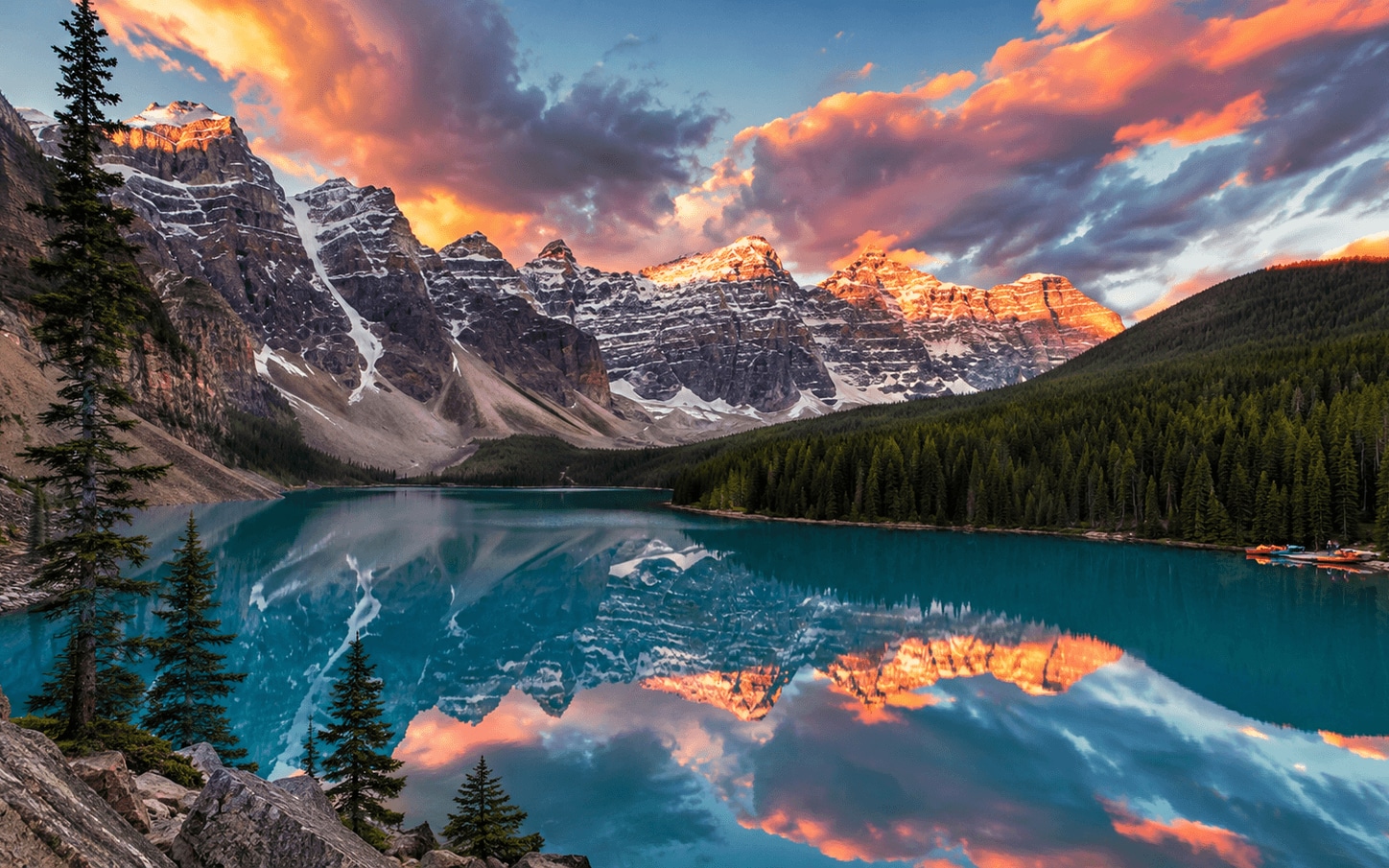
Original · 2.6 MB
Q80 · 212 KB · −92%
Drop images here or click to upload
PNG, JPG, WebP, GIF- up to 20MB each
Smart Compress
Up to 80% smaller. JPG, PNG, WebP, GIF. All in your browser - nothing uploaded.
Your images never leave your browser
All processing happens locally using your device's CPU. No uploads, no servers, no data retention. The only exception is AI Rename, which sends a thumbnail to Google Gemini for analysis.

See the difference
Original
2.4 MB
Compressed
340 KB
86% smaller
Trusted by creators worldwide
1M+
Images compressed
100%
Browser-based
Zero
Server uploads
Why SammaPix?
100% Private
Your images never leave your browser. Everything is processed locally with JavaScript. Zero server uploads.
No Quality Loss
Smart compression preserves visual quality. At 80% quality, most images are visually identical to the original.
Batch Processing
Compress up to 500 images at once with Pro. Free users can process multiple files with single downloads.
Compress to a specific file size
Need to hit an exact KB or MB limit? Pick your target — each page handles that precise size automatically.
Most popular
Compress to 2MBCompress to 3MBCompress to 1MBCompress to 700KBCompress to 500KBCompress to 200KBCompress to 100KBCompress to 50KB
All sizes
Quick answer
SammaPix Compress is a free, browser-based image compressor that processes images locally using the Canvas API. No uploads, no server. At quality 80%, it reduces file size by an average of 67% across 100 test images while keeping SSIMULACRA 2 visual quality scores above 65 (no visible quality loss). Supports JPEG, PNG, WebP, AVIF, HEIC, GIF, BMP, TIFF. Free tier: unlimited single-file compression. Pro ($7/mo): batch up to 500 images + ZIP download. Tested on Chrome, Safari, Firefox, Edge.
Frequently asked questions
SammaPix vs TinyPNG: which is more private?+
SammaPix is significantly more private. TinyPNG uploads every image to its servers in San Francisco for compression. SammaPix compresses 100% in your browser using the Canvas API. Your photos never leave your device. If your images contain client work, faces, GPS data, or anything sensitive, browser-side compression is the only safe choice. TinyPNG also has a 5MB free-tier file limit; SammaPix has no per-file limit on free.
How does SammaPix compare to Squoosh?+
Squoosh (built by Google Chrome Labs) is the gold standard for codec quality and per-image control. SammaPix matches Squoosh on browser-based privacy and adds batch processing (up to 20 images free, 500 on Pro), ZIP downloads, AI rename, and 35 dedicated tools beyond compression. Use Squoosh for tweaking a single image manually; use SammaPix when you have to compress dozens of photos in one session.
What's the best free image compressor without server upload?+
For zero-upload compression in 2026, the three browser-side options are SammaPix, Squoosh, and ImageOptim (Mac only). Tested on 100 real images at quality 80, average file size reduction was 65–73% across these tools. Server-side tools (TinyPNG, ShortPixel, Compressor.io) compress slightly better on average but require uploads. If privacy matters, SammaPix wins on multi-format support (HEIC, AVIF included) and batch limits, and for JPEG XL (.jxl) there's the dedicated /tools/jxl converter.
Is SammaPix really free?+
Yes. Image compression on SammaPix is 100% free with no limits on file count or size. The Pro plan ($7/month) adds batch ZIP downloads, 500-image batches, and AI-powered features, but standard compression is free forever.
Do my images get uploaded to a server?+
No. SammaPix compresses images entirely inside your browser using JavaScript and the Canvas API. Your files never leave your device. Nothing is uploaded or stored. Tested by inspecting network traffic: zero outbound image data.
What image formats are supported?+
SammaPix Compress supports JPEG/JPG, PNG, WebP, GIF, BMP, TIFF, AVIF, and HEIC. Output formats: JPEG, PNG, WebP. You can convert between any of these formats while compressing in a single pass. For JPEG XL (.jxl), use the dedicated /tools/jxl converter.
How much can I compress without losing quality?+
At the default 80% quality setting, most images shrink by 50–80% with no visible quality loss measured by SSIMULACRA 2 (perceptual metric used by Cloudflare Images and Google). Photos with lots of detail compress 60–90%. The quality slider lets you find the perfect balance for your use case.
Why compress images online?
Smaller images load faster and rank better on Google. SammaPix compresses your images directly in your browser using advanced algorithms that analyze each image and remove unnecessary data. You control the quality with a simple slider. Most images at the default 80% setting show zero visible difference from the original while shrinking by 50–80%.
Because everything stays on your device, there's zero privacy risk: your photos never touch a server. You won't hit upload limits, and you'll get results instantly.
When should you compress images?
- -Before uploading to your website to improve Google page speed rankings
- -Before attaching to emails to keep attachment sizes small
- -Before sharing on social media to avoid quality loss during upload
- -For e-commerce product photos to improve search rankings and reduce bounce rate